Well, the distro is reporting the status as of early October. The update is on my desk, but neither Limpet nor Craft are included because they're not available for aarch64.
@Bohun - Well, the distro is reporting the status as of early October. The update is on my desk, but neither Limpet nor Craft are included because they're not available for aarch64.
Great news. I'll add Limpet to the new version of piAROS. I couldn't find Vector Craft.
By the way, the comments on this video have been very positive. In a while, when more software is available and I refresh the graphical page, we'll do a second opening – we'll send the information to Chris. It won't be just nostalgia anymore.
My personal selection of the coolest comments on the film:
Quote
Seeing the Workbench again gives me goosebumps.
Quote
Isn’t it amazing how they made it so you can see which window is which, and how you can tell what’s a button you can press!?
Quote
With all the chaos going on in the Linux world, it would be nice to see more developers support projects like this.
Quote
Great video.
I'll share this in the Norwich Amiga Group 😊.
I've used Aros in the past, but very cool to have it running on a pi.
Quote
What a great Sunday morning! You take a unique operating system and run it on a reasonably priced Raspberry Pi. Oh what fun! On top of that, Stanley the SD card was introduced! Stanley the Knife must be so proud! After this video, the rest of my day will seem rather dull. As always, looking forward to your next video!
Quote
Even though these are said to be 'alpha' releases, they seem to be quite mature for that designation. It was neat to see such an alternative OS running on an R/Pi. Thanks for the video
Quote
Okay, this has my attention. Cannot wait to see if this is a viable alternative to Pi OS.
Quote
Wow, really cool, Chris. The Pi version looks surprisingly stable, and seeing wifi working really surprised me.
PiAROS looks GORGEOUS. Thanks for showing the setup., as I think it can be confusing knowing what to download. I think it's something that the team should do something about.
Worth remembering that Aminet is still alive and active. There are spreadsheets and all kind of stuff available. Also check out AROS Archives which also has software for AROS. It's not as active as Aminet though.
Amazingly cool project!
It was interesting to see someone outside AROS commenting on the features of AROS. But he relates it to Amiga 68k which may or may not be flattering. Though AROS is modern.
I also downloaded the iso from Archives to try it out. I downloaded the nightly for Raspberry Pi also.
I'm also trying to setup the build system for piAros. Are there setup instructions?
I have a fork of ABIv1 on my GitHub. I assume I can clone that & build it using RPi rebuild.sh if I can find it.
Edited by miker1264 on 02-11-2026 13:20, 16 days ago
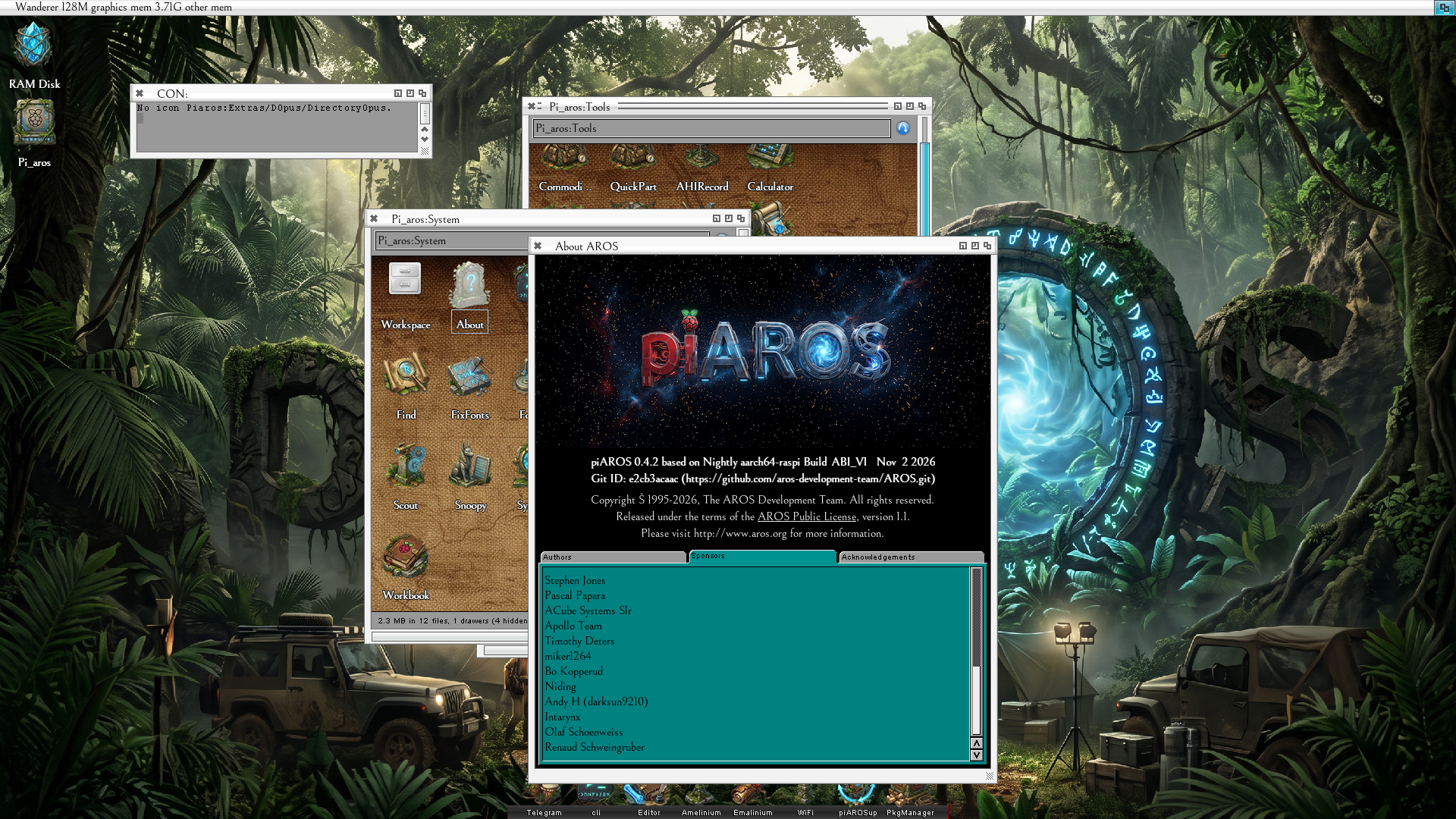
Wow! I downloaded the Pi_Aros distro that was uploaded on Nov 2, 2026 from Internet Archive. I am so impressed.
I'm so excited about the possibilities of AROS running on Raspberry Pi. I'm running a Pi400 if you're curious... and everything I tested works! Sure, there are a few small anomalies here and there but it's mostly working.On startup it complains about a missing icon for dopus4, but the icon is there. So, it's a minor inconvenience.
It boots so fast it feels like my Amiga 1200 with PiStorm32 Lite running Caffeine OS (Amiga OS 3.9+).
The Pi400 is a wedge design similar to the Amiga 500/600/1200 so of course it feels really familiar.
I don't know what font is being used but I really like it and MUI/Zune looks so good on the Raspberry Pi.
I'm going to start contributing to this effort right away. First, I have a bunch of custom window themes and I will make some more colored drawer icons. One of the really nice things about Pi_Aros is that it used a FAT32 micro sd card. So I just put it in my card reader and transfer files. For my real Amiga I also use a FAT32 CF Card via PCMCIA slot.
Edited by miker1264 on 03-11-2026 05:47, 15 days ago
I had some weird issue with my RPI500 where the mouse pointer would be visible and usable, but the whole display is all black.
I could drag the screen down and get a grey background visible.
After a few long sessions with a clanker, it figured out my RPI500 leaves alpha channel as 0x0, which makes all "gfx" transparent, and hence black.
If anyone else get this, I have a small patch for it made by claude, that made the display work for me at least:
more patches/vcgfx-hvs6-opaque-screens.patch
diff --git a/arch/arm-native/soc/broadcom/2708/hidd/vcgfx/vcgfx_hvs6.c b/arch/arm-native/soc/broadcom/2708/hidd/vcgfx/vcgfx_hvs6.c
index 53d6d685..dfaf688b 100644
--- a/arch/arm-native/soc/broadcom/2708/hidd/vcgfx/vcgfx_hvs6.c
+++ b/arch/arm-native/soc/broadcom/2708/hidd/vcgfx/vcgfx_hvs6.c
@@ -292,6 +292,15 @@ BOOL vc4_hvs6_takeover(struct VideoCoreGfx_staticdata *xsd, ULONG fb_phys,
hvs6_plane(dst, src, (UQUAD)fb_phys, fb_pitch, st->h6_FbPTR0,
0, 0, fb_width, fb_height);
}
+
+ /* Screens are opaque, and every plane but the cursor is built from this
+ * slot: take fixed alpha whatever the firmware entry carries. AROS bitmaps
+ * have alpha 0, so with per-pixel alpha (CTL0 bits 19:18 = 0, as the
+ * Pi 500 firmware leaves them) nothing of a screen shows. The cursor
+ * clears the bits again for its own alpha. */
+ hvs6_wr(dst + HVS6_ENT_CTL0 * 4,
+ hvs6_rd(dst + HVS6_ENT_CTL0 * 4) | HVS6_CTL0_ALPHAMASK);
+
hvs6_wr(hvs6_slot(st, HVS6_SLOT_CUR), HVS6_CTL0_EMPTY);
hvs6_wr(hvs6_slot(st, HVS6_SLOT_END), HVS6_CTL0_END);
If the AROS project have issues with AI code (understandable if so) please read the diff and let yourself be inspired by it to fix it with your own code.
@IcePic - I had some weird issue with my RPI500 where the mouse pointer would be visible and usable, but the whole display is all black.
I could drag the screen down and get a grey background visible.
After a few long sessions with a clanker, it figured out my RPI500 leaves alpha channel as 0x0, which makes all "gfx" transparent, and hence black.
I had the same issue earlier and got a suggestion here in another thread to just update the firmware on my pi 500 (I updated it from Raspberry Pi OS) and this fixed the alpha issue, so no patch needed. But even Raspberry Pi OS itself contains this alpha correction in their code, so it won't hurt to get this included of course.
Will try the nightly build and report back. The card is a fast one. The previous version of piAROS was booting OK prior to me puting the latest on it. I'll do some testing and let you know. If it's just me then I am doing something wrong
RPi4 shows the boot failure first and then continue after clicking the mouse.
A screen showing a dos windows blinks briefly and then goes black.
Perhaps problem with USB mouse/keyboard?
This combo used to work earlier.
Pi400 does boot but ends in a black screen. Briefly blinks the desktop.
Mouse not responsive it seems.
This combo used to work earlier.
This problem persist without the USB mouse plugged in.
Two different Flash cards where used which used to work fine earlier,
so I do not think that should be the issue.
I downloaded the same version dated Nov, 2026.
Now I will double check with the latest nightly version (without SMP)
Edit : Same behavior with the latest nightly version on Pi400,
just a black screen with a static mouse pointer.
Strange ting is that earlier versions (around Oct 19) worked fine except
for some problems with Wifi where not able to reconnect after fist connection.
Is it possible to use USB pend drive of USB external HD?
I have a feeling the constant swapping of Flash cards might be the issue
even if a check reveal no errors.
Edited by tennis74 on 03-11-2026 18:52, 14 days ago
Mine are Kingston and Rasberry Pi brand.
These have both worked fine with earlier nightly builds.
You can view all discussion threads in this forum. You cannot start a new discussion thread in this forum. You cannot reply in this discussion thread. You cannot start on a poll in this forum. You cannot upload attachments in this forum. You can download attachments in this forum.